
OpnLeads
Automated Lead Intelligence
Responsibilities: End-to-end research, UX strategy, information architecture, UI design, brand design, and vibe coding for a 0→1 SaaS product MVP built to give vendors a first-mover advantage in local markets.
Context & Overview
Summary: OpnLeads is a B2B SaaS that automatically discovers newly formed businesses from daily county filings, cleans and enriches the records through multi-source intelligence, and surfaces high-quality, outreach-ready leads.
Role: Product Designer & Developer
Timeline: 2025
Tech Stack: Figma + Bubble.io + Augment on VS Code + ChatGPT + Supabase + GitHub Actions
Core Product Outcomes
- <24-hour lead discovery
- 72% domain discovery (vs 30–40%)
- 83% validation accuracy
- 40% more enrichment coverage
- 95% cost reduction vs manual research
- 100–500 leads/day capacity
- Figma
- Miro
- Notion
- VS Code
- Augment AI
- ChatGPT
- WordPress + Elementor
| Layer | Tech |
|---|---|
| Frontend | Bubble.io (Low-code) |
| Database | Supabase (PostgreSQL) |
| Backend scripts | Python |
| Migrations/RPCs | SQL (PostgreSQL) |
| CI/CD | GitHub Actions |
| APIs | Google Places, Apollo, |
| Hosting | Railway |
| Payments | Stripe |
The Problem
Local vendors rely on outdated, inaccurate, and overpriced lead sources. Manual research wastes time and kills pipeline momentum. Competition in SMB is growing steadily, and businesses need more of an edge to stay ahead of the game.
Stale Lead Lists
- Data is 30–90 days old
- Shared with hundreds of competitors
Poor Data Quality
- 40–60% accuracy
- Many businesses have no website or dead domains
High Manual Effort
- 5–10 minutes of research per lead
- 10–20 leads/day capacity
Research Insights
From competitor analystis and interviews with local vendors & service providers:
- Freshness = moat
- Static spreadsheets are overpriced, often contain irrelevant leads, and are often stale
- The UI can’t look overly technical or they churn
- Should support existing workflows
- Help with follow up tasks like outreach adds competitive value
- AI integration adds competitive value, and is practically expected
- While quality does beat quantity, purchased lead lists have conditioned them to instinctively view perceived quantity as more valuable visually.
- Optimal outreach timing makes a difference
“I need to know which leads are worth my time. That alone is worth paying for.”
Stephanie R.
“I already have HubSpot (CRM). I just need better leads flowing into it.”
Jason B.
“Contracts with newer businesses really only happen by word of mouth. You won't find them on lead lists.”
Colin M.
“I'm not with all the latest tech. I know how to work a spreadsheet quickly. I don't want to spend a lot of time learning a new product.”
Harold R.
Project Goals
Instant Qualification
Reduce research time to seconds
Signal-First UI
Highlights what matters most
Clean Outreach Flow
Discover → Qualify → Follow → Contact
Trustworthy Data Design
Freshness cues, validation, scoring
Information Architecture
Discover
Fresh leads, filtering, signals-first cards
Following
Saved pipeline, lead details, archiving, notes, context-aware AI email drafts, export capabilities, alerts
Insights
Weekly digest of new business filings and trends
Key UX Decisions
Designing Around Backend Constraints Without Exposing Them to Users
Unlike most UX problems, the goal here wasn’t to enhance interaction—it was to make sure the UI didn’t visibly suffer from very real business constraints. In other words, the job was to keep those constraints out of the user’s line of sight.
Scraping data is cheap. Enriching that data at scale, at high frequency, is not. Doing it indiscriminately would have driven costs up fast, so the challenge was finding a balance between keeping the UI feeling fresh and responsive while being conservative on the backend.
To get there, I ran tests to understand how often new businesses actually signal meaningful activity online and whether there were patterns that hinted at when the next signal was likely to appear. Those findings fed into a tiered, rule-based enrichment system that scores businesses based on their characteristics and how paying users interact with them. Each night, those scores determine whether a business is worth re-enriching.
The result is that not every business gets enriched every day—or even every week in some cases—but the UI never feels stale. From the user’s perspective, they’re simply browsing a curated list that consistently surfaces the businesses with the most timely and valuable intel, without being exposed to the tradeoffs required to make that possible.

Designing for Perceived Value
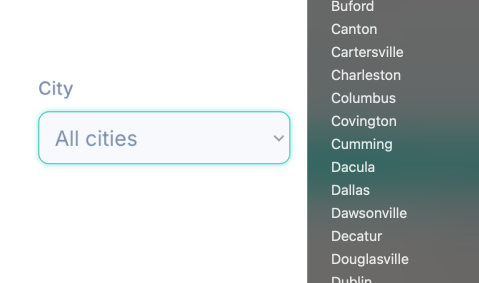
Since the leads are scraped by county, the initial plan was to allow the user to filter the data as such in the UI and marketplace. However, the MVP would only have 1-3 counties of metro Atlanta, which would feel like a small selection. So, I completely removed any mention of county in the UI and instead gave users the ability to filter businesses by cities, making the data set feel larger as a whole.
Designing for Compatibility with Existing Workflows
Ongoing research revealed two slightly opposing patterns among SMB users at first glance: 1). Discovering leads only solves half of the equation. The other half is giving users the ability to take immediate action on those leads. 2). Most users already have outreach workflows they’re comfortable with and aren’t eager to replace.
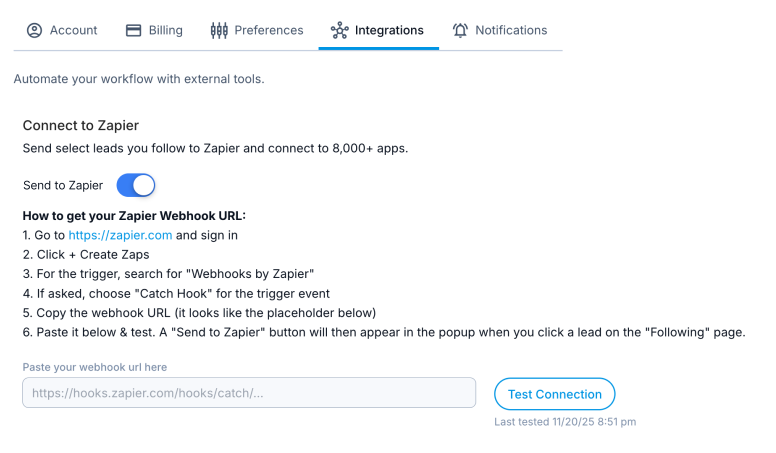
This problem is a good example of “sometimes the best solution to a big problem is the simplest.” Building out additional functionality like some sort of CRM tooling to solve it would have been costly and undesirable. So, I decided to focus on integration as a swift means to satisfy both needs. In under an hour, I implemented a webhook-based integration with Zapier, allowing users to push leads into the tools they already rely on with a single click. Tools like HubSpot, Gmail, Mailchimp, and thousands of others were now at their fingertips with super simple setup instructions and connection testing. This approach enabled immediate action, respected existing workflows, and added meaningful value without increasing UI complexity.
Designing for Strategic AI Implementation
AI shines when working with large datasets, making the question of its implementation almost a no-brainer here. Users expect it these days. But, I didn’t want to add it just for marketing hype. I wanted it to be used strategically and with intentionality. I also didn’t want anyone to look at the feature and think, “can’t I just ask ChatGPT to do that myself?” At the same time, since this was just the MVP, I didn’t want to go too crazy and end up getting sidetracked by it.
I finally settled on an implementation that would drive not only an immediate MVP feature, but could serve as the backbone of a future robust recommendation engine and hyper-personalized user experience that could even increase product “stickiness.”
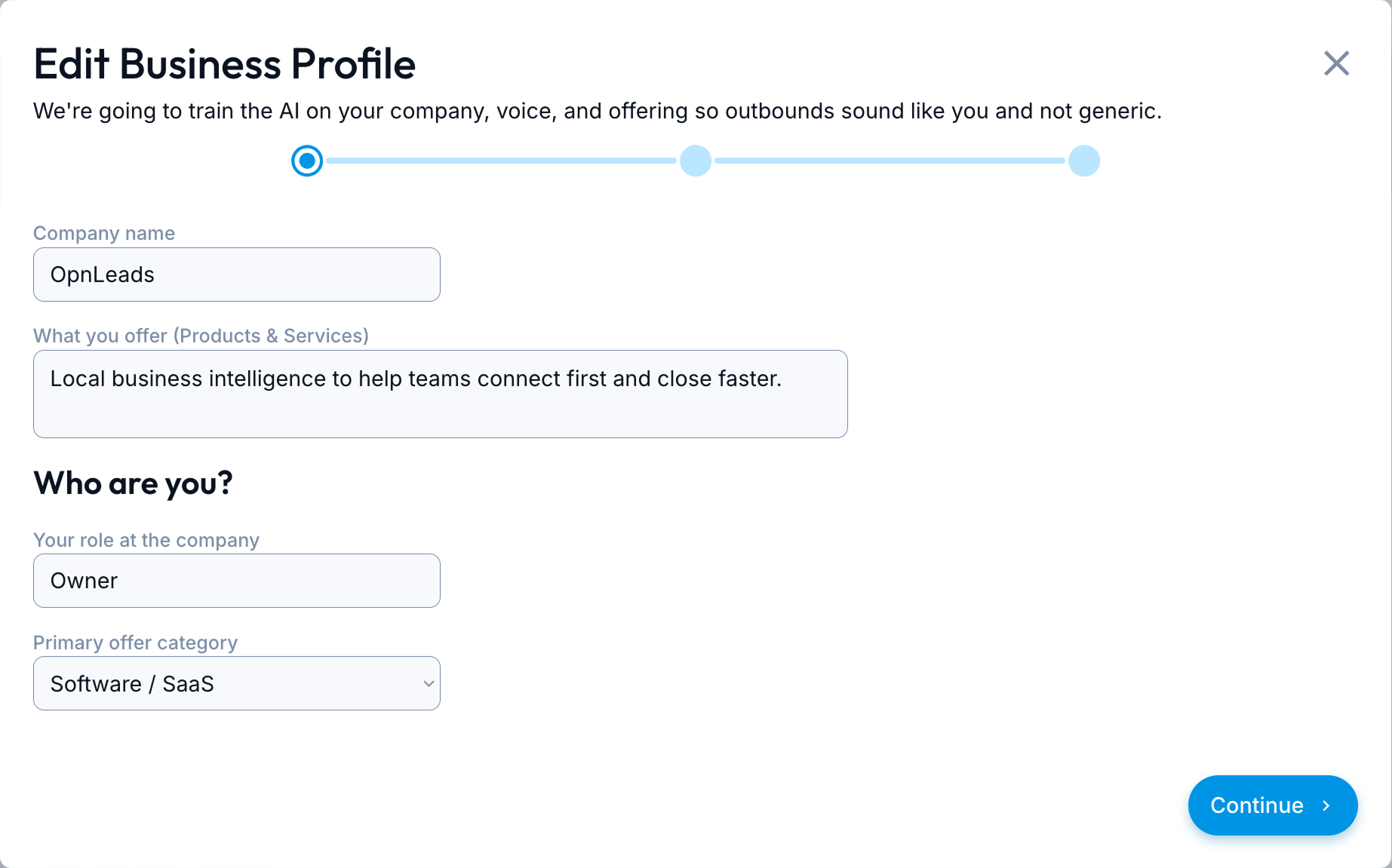
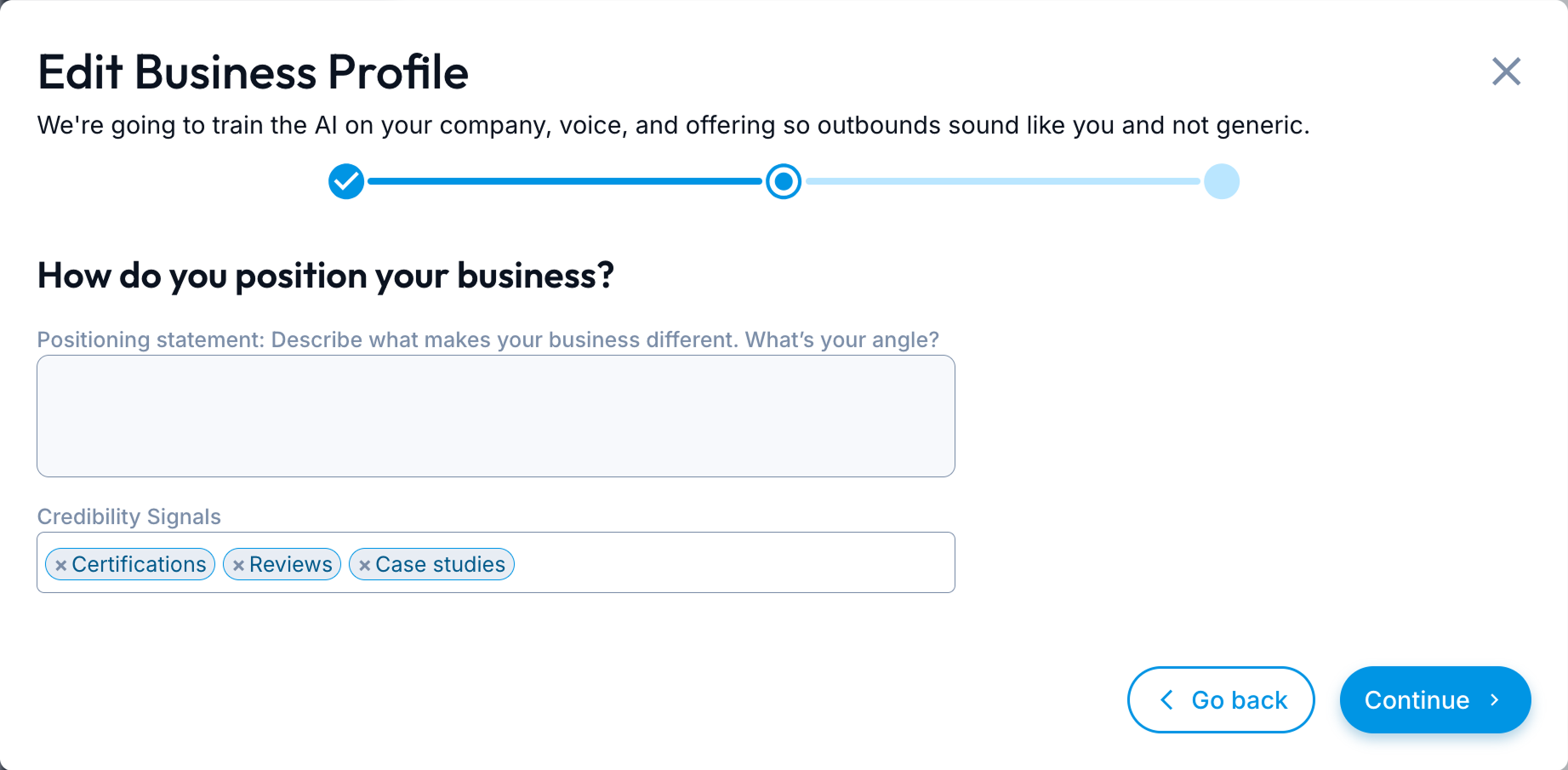
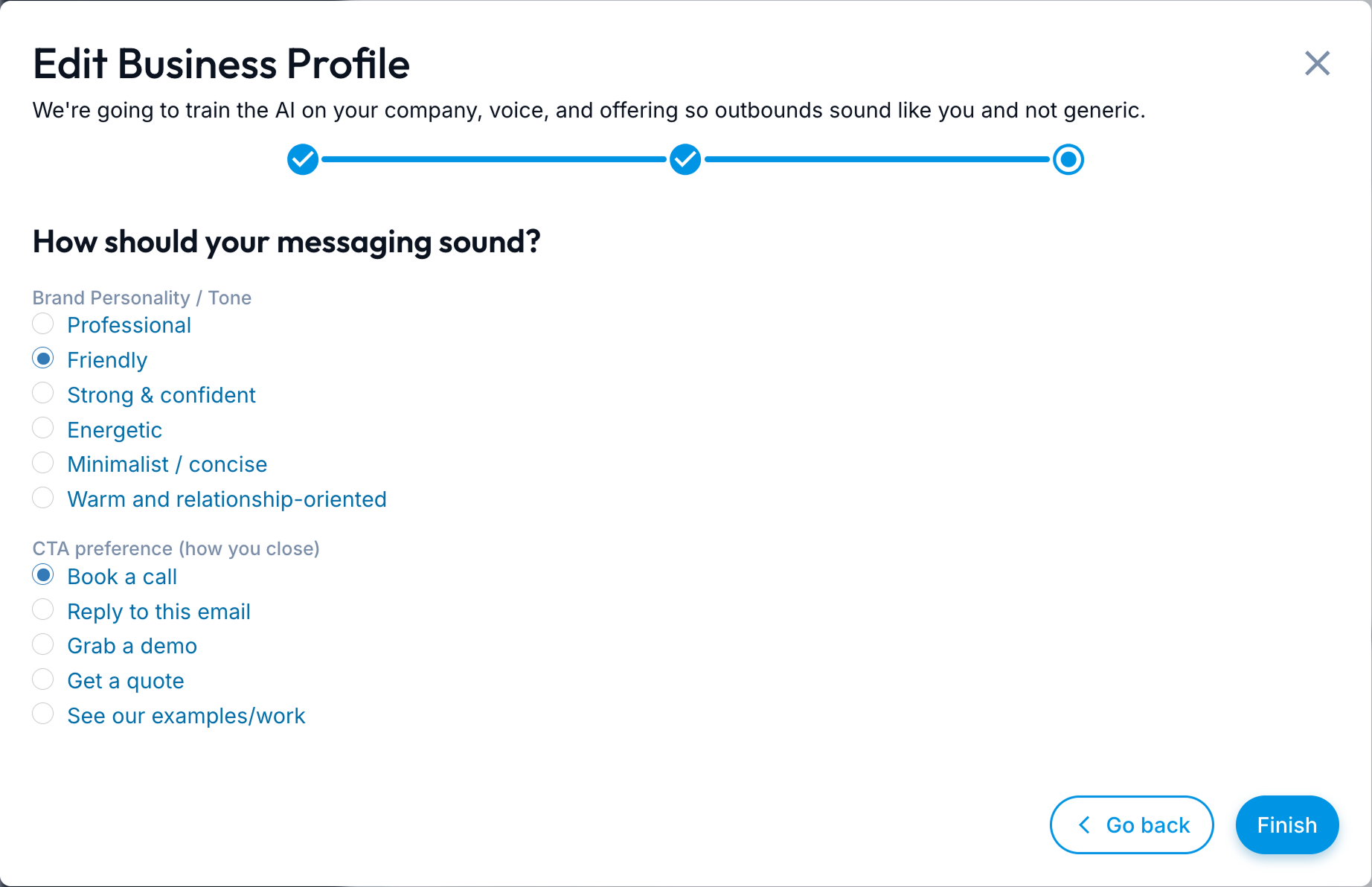
AI-tailored introductory email drafts. That sounds pretty basic on its own, so allow me to explain a bit. Immediately, it further supports the user’s need to follow up with outreach. Much more powerfully, it employs contextual awareness given to it by user generated input and evolving lead data from the database. The user completes a short questionnaire/wizard about their own business, their own offerings, and their own goals. The AI already has data on the leads, so it simply cross-references to find commonality that it then uses to auto-generate highly individualized email drafts and pinpoint accurate recommendations.
Designing for Clarity Over Cleverness in Copywriting
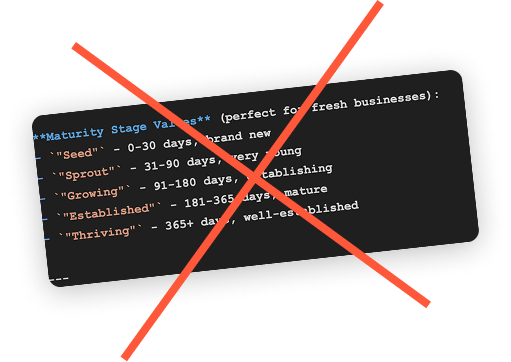
Sometimes I need a second or third set of eyes on something and no one with UX expertise is available. When that happens, or when I just need a sanity check, or when I’ve just been staring at the same problem for too long, I ask AI for its analysis. Copywriting is probably what I ask it about the most. Sometimes it’s right and sometimes it’s wrong. The important thing is having the experience to know which one it is.
UI Design - Key Screens

Dashboard
Overview of what's new.

Discover
Fresh leads.

Lead Details
Full readout of business details.

Following
Leads being watched and alerted on.

Marketing Website
Built from scratch to craft a smart brand identity, speak specifically to SMBs, and educate on the value of first-mover advantage.
Technical Alignment
Designed in Harmony with the Backend
Although OpnLeads uses complex automation (PDF parsing, deduplication, enrichment, classification, scoring), the UI keeps all complexity invisible. Branded loading spinners are used to combat api call wait times, as well as storing in and displaying actions from states in the UI for instantaneous responses to user actions while API calls run in the background to update the actual database.
Key Backend Features:
- Real-time GitHub Actions ingestion
- Apollo.io conditional enrichment
- Supabase storage & API
- Bubble workflows
- MD5 dedupe safety net
- 3s enrichment turnaround
Results
Newly Registered Business Leads, Before & After
Before OpnLeads
- $1–$2 per lead
- 30–90 day freshness
- 40–60% accuracy
- 10–20 leads/day
- 5–10 minutes per lead
After OpnLeads
- ~$0.01 per lead
- <24-hour discovery
- 83% validated
- 100–500 leads/day
- 0 minutes per lead
Future Opportunities
- Multi-state scaling
- AI-driven lead and action recommendations.
- Outreach automation
- Additional enrichment sources
Final Reflection
This project reinforced for me that strong UX isn’t just about interface decisions but designing systems that hold up under real technical, business, and economic constraints without letting those constraints leak into the user experience. Throughout OpnLeads, I was intentional about separating user value from internal mechanics: what’s actionable versus informational, what belongs in the UI now versus what should stay invisible, and how language, hierarchy, and timing shape the target user’s mental model day to day.
That meant questioning terminology when it stopped being true, pushing back on labels that implied the wrong behavior, and treating naming as a design tool rather than an afterthought. It also meant designing for backend realities (cost, enrichment lag, scalability) while keeping the product simple, calm, and usable for non-technical users. In several cases, the best UX decision was deliberately invisible: shielding users from complexity while still delivering timely, meaningful value.
Beyond the product itself, I built the brand, website, and system from the ground up, aligning messaging, interaction patterns, and data presentation into a cohesive whole. The result is a product that balances simplicity with power, supports existing workflows instead of disrupting them, and delivers measurable value without overpromising. Rigor beats aesthetics, clarity beats cleverness, and systems thinking beats surface polish.